

AI-powered email content suggestions that actually convert leads

AI-powered email content suggestions are changing how marketing teams write, test, and scale email campaigns. Instead of guessing what message will resonate, marketers can now use AI to analyze data, predict engagement, and generate personalized content that converts. 
But there’s a huge difference between emails that sound good and emails that perform.
In this guide, we’ll cover how to use AI email content suggestions to deliver stronger open rates, higher click-throughs, and measurable revenue impact.
Table of Contents
- What AI-Powered Email Content Suggestions Are and Why They Matter
- Best AI Tools for Email Content Suggestions
- How to Set Up AI Email Suggestions Inside Your Existing Workflow
- AI Email Content Prompts for Every Lifecycle Stage
- AI Email Content Generation Guardrails
- How to Measure AI Email Content Performance and Iterate Fast
- Common AI Email Content Pitfalls and How to Avoid Them
What AI-Powered Email Content Suggestions Are and Why They Matter
AI-powered email content suggestions use machine learning to tailor your subject lines, body copy, and CTAs to each audience segment and lifecycle stage. The system analyzes engagement data, like open rates and replies, to recommend what message, tone, or offer is most likely to drive action.
In practical terms, that means:
- Generating email subject lines designed to boost open rates
- Optimizing email copy that earns more clicks and replies
- Recommending CTAs that move contacts from MQL to SQL faster
When connected to your CRM, AI turns raw engagement data into actionable insight. Instead of guessing what your audience might respond to, you see which phrases, formats, and offers actually convert. As the AI tool collects and analyzes more data, it compounds on those learnings with every send.
The real advantage comes when these suggestions are used inside automated email campaigns. That integration creates a feedback loop between your content and data, allowing the AI to adapt in real time to audience intent and performance signals.
Real results in action: HubSpot’s own demand generation team used AI to transform their email nurturing strategy, analyzing user behavior and website data to deliver hyper-personalized content recommendations.
By using GPT-4 to understand intent and match users with relevant courses, we achieved an 82% higher conversion rate, 30% better open rate, and 50% lift in click-throughs.
Read more about it in the 2025 State of Marketing Report.
Best AI Tools for Email Content Suggestions
When it comes to email creation, the real power of AI lies in tools that plug into your CRM and connect to your customer data. With this insider information, crafting compelling headlines or body copy is a breeze.
Here are a few top options to consider, starting with HubSpot’s Breeze Copilot.
1. HubSpot’s Breeze Copilot
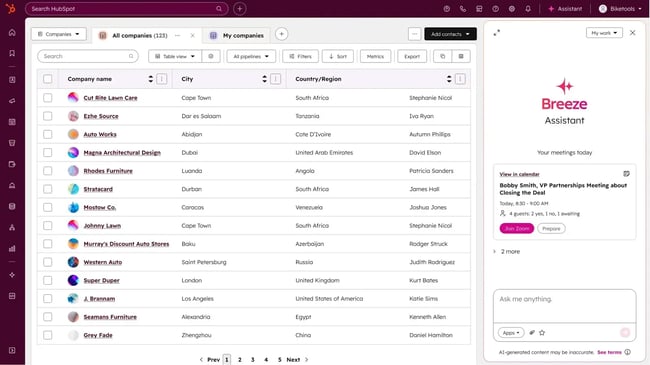
HubSpot’s Breeze Copilot is built directly into the HubSpot email editor, giving marketers an AI assistant that knows their audience as well as their CRM does. It uses existing data, like lifecycle stage, engagement history, and past campaign performance.
With these insights, Breeze can:
- Generate personalized subject lines
- Tailor email copy to audience preferences
- Create CTAs that align with conversion goals
Why it stands out: Most AI writers generate generic copy. Breeze Copilot is different, as it grounds every suggestion in your own CRM data and campaign analytics. That means smarter recommendations that match real buyer behavior.
What I like:
- Generates content that adapts to your contact’s stage, behavior, and preferences
- Lives inside HubSpot, so there’s no copy-and-paste between tools
- Suggests entire email structures, not just sentences or subject lines
- Syncs seamlessly with automated email campaigns for built-in testing and reporting
Best for: Marketing teams that want to combine creativity with data-driven precision.
Pricing:
HubSpot pro tip: Pair Breeze Copilot with AI-assisted content creation to build reusable, modular assets, like headers and footers. You can then drag and drop those assets into future campaigns.
2. WriteSonic’s Email Generator
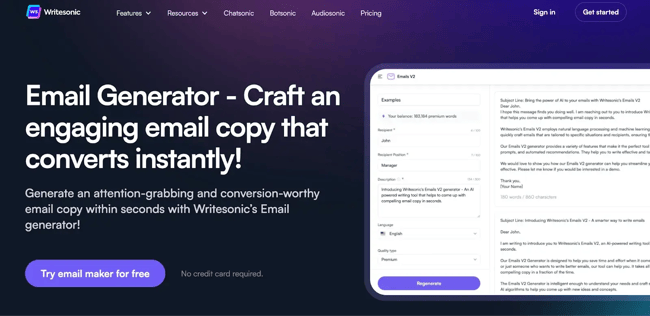
Writesonic’s dedicated email generator helps marketers craft targeted email campaigns quickly in more than 25 languages.
Its strength lies in how easy it is to iterate. Whether you’re writing onboarding sequences, announcing a product launch, or sending a recurring newsletter, Writesonic’s saved templates let you start with proven frameworks instead of a blank page.
What I like:
- Speed and templates. With Writesonic, you select an email template, plug in your details, and generate a first draft in minutes.
- Multi-language support. Useful if you send to global audiences; the platform supports email copy in 25+ languages.
- Pre-built performance frameworks. For SaaS brands, for example, Writesonic offers 100+ free email templates and 500+ subject lines designed for boosting opens and clicks.
Best for: Marketing teams who need to turn around multiple campaign emails quickly, especially newsletters, product updates, or launches, but haven’t yet opted for a full CRM-embedded AI writing workflow.
Pricing: Plans start at $49/month.
3. Seventh Sense

Seventh Sense is the secret weapon for timing. It uses machine learning to predict when each contact is most likely to open or click an email, then schedules delivery accordingly. By learning from historical engagement patterns, you ensure that your perfectly written AI-generated emails land in inboxes at the exact moment they’re most likely to be seen.
What I like:
- Predictive optimization. Learn individual engagement habits to send emails at peak times.
- Integration with HubSpot. Works seamlessly with automated email campaigns to improve deliverability and engagement.
- Personalized pacing: Prevents fatigue by spacing sends based on recipient behavior.
Best for: Teams focused on maximizing open and click-through rates through smarter send times.
Pricing: Plans start at $80/month, billed annually.
4. Copy.ai
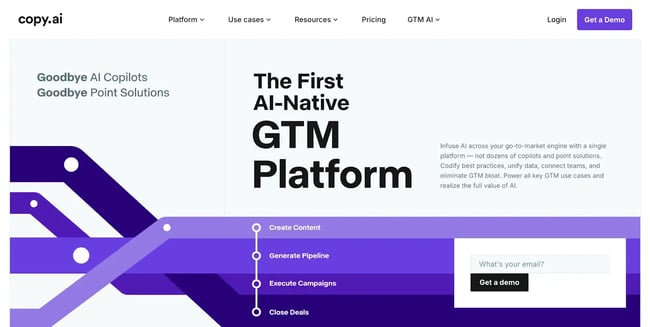
Copy.ai is a creative AI platform that helps teams build multi-step workflows for campaign creation. It includes templates for full email sequences, making it a great tool for teams managing complex lifecycle or drip campaigns.
What I like:
- Workflow automation. Generate entire sequences in minutes.
- Collaboration tools. Allow multiple team members to refine drafts together.
- Prompt library. Save custom prompts that can be reused for similar campaigns or customer segments.
Best for: Marketing teams that need to scale high-quality emails across multiple products or regions quickly.
Pricing: Plans vary. For Chat, plans start at $29/month.
5. MailMaestro
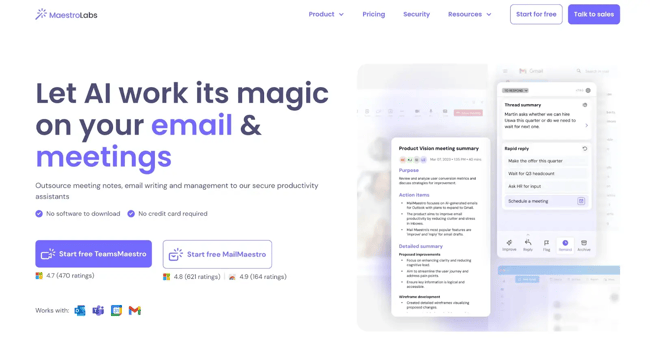
MailMaestro is an AI‐powered email writer and assistant designed to integrate directly with Outlook and Gmail, letting teams draft, reply, and manage professional email content more quickly and effectively.
It supports multiple languages, tone adjustments, and context-aware drafting, helping marketers scale email content production without sacrificing clarity or brand-voice integrity.
What I like:
- Rapid, context-aware drafts. You input a short instruction, and the tool generates three differentiated versions in seconds.
- Tone and language controls. Choose a desired tone and language variant for global campaigns.
- Integration with inbox workflow. Because it lives in Outlook or Gmail, mail writers stay in their workflow rather than jumping between tools.
Best for: Marketing and operations teams that handle high volumes of email communications.
6. ChatGPT
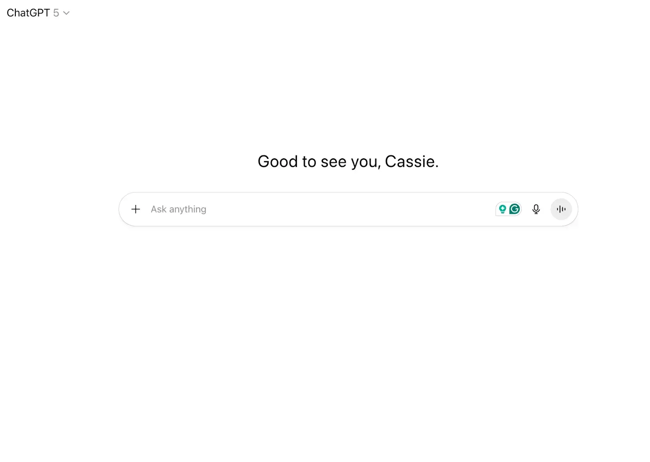
ChatGPT is the most versatile large-language model for marketers looking to brainstorm, draft, and refine email content fast. You can use it to outline entire nurture flows, generate subject line variations, rewrite CTAs, or test tone and voice before syncing the copy into your CRM.
Because it’s not limited to pre-built templates, ChatGPT is great for creative ideation, making it an ideal starting point for teams that want to experiment with AI before committing to a fully embedded system.
What we like: Great for brainstorming prompts or rephrasing CTAs across lifecycle stages.
Best for: Teams developing a prompt library to fuel CRM-connected workflows.
Pricing: $20/month for the Pro Plan.
How to Set Up AI Email Suggestions Inside Your Existing Workflow
AI tools are fantastic for quickly creating email content that keeps readers engaged. But these tools work better when they’re connected to your data and approval processes.
Here’s how to set it up for success.
1. Unify your CRM data.
AI email suggestions are only as smart as the data they learn from. Create a single source of truth inside your CRM and consolidate:
- Records
- Deal stages
- Engagement activity
When your data is unified, your AI can recognize key patterns, like which content drives MQLs versus which stalls at the SQL stage, and generate a copy that reflects that insight.
HubSpot Pro Tip: Treat data hygiene as part of content strategy. The more accurate your CRM, the better your AI recommendations.
2. Confirm consent and define segments.
AI tools amplify personalization. That means any weak spots in your personalization consents or segmentation will be highlighted. Avoid this by:
- Revisiting opt-ins
- Double-checking preferences
- Updating compliance policies
Once confirmed, define your key lifecycle segments. This segment-level context helps the AI adapt tone and CTA strength to where a contact is in the journey.
Example: A top-of-funnel lead might see “Learn more,” while an active trial user receives “Schedule your onboarding call.”
3. Connect your AI assistant.
Use HubSpot’s AI email assistant to start generating contextual copy directly inside your email editor. Because it’s native to HubSpot, the assistant automatically references:
- Contact data
- Deal information
- Past campaign results
You can also toggle between AI-generated subject lines, body copy, or CTAs, all while maintaining CRM context. With these insights and user options, content suggestions can be automatically tailored to fit your brand and your goals.
4. Activate modular content.
If you’re managing multiple campaigns or teams, modular content is your best bet for efficiency. Using HubSpot’s AI-assisted content creation tools, build a shared library of pre-approved elements, like intros, feature blurbs, and CTAs, that AI can pull into future campaigns.
This structure lets you:
- Maintain brand and compliance consistency
- Track how specific snippets perform over time
- Enable non-writers to assemble conversion-ready emails in minutes
HubSpot Pro Tip: Label modules with tags like “BOFU CTA – Demo” or “Awareness Body – Product Value” so your AI assistant learns which assets perform best at each stage.
5. Enable version control and approvals.
This cannot be stressed enough: AI-generated content should never be a one-click send.
Create approval workflows that route new email versions through a human reviewer before launch, especially for campaigns involving pricing, compliance, or regulated industries.
Within HubSpot, you can set role-based permissions to allow marketing leads, compliance officers, or product marketers to review drafts before publishing. This keeps your AI both efficient and accountable.
When your CRM, content library, and approval process are working together, AI stops being a writing shortcut and becomes a conversion engine. Every email aligns with the right audience with a real shot at an expected outcome.
AI Email Content Prompts for Every Lifecycle Stage
Good AI depends on great direction. Without clear context, even the most advanced model will give you generic, one-size-fits-all copy. The key is to prompt your AI like a strategist, not just a writer.
That means telling it who you’re talking to, what you want them to do, and why now.
Whether you’re using ChatGPT, Claude, or HubSpot’s AI email assistant, a few well-structured prompts can turn generic suggestions into high-performing, lifecycle-specific content.
Here’s how to think about it.
1. Welcome and Activation Prompts That Build Momentum
Goal: Introduce value quickly and encourage engagement.
Prompt example: “Write a 120-word welcome email for new sign-ups who downloaded our guide. Include one clear CTA to start a free trial and reference their interest in [topic]. Maintain a confident, approachable tone.”
HubSpot pro tip: Use HubSpot’s AI email assistant to instantly generate multiple versions of your welcome email and test open rates across your automated email campaigns.
2. Nurture Prompts That Turn Interest Into Intent
Goal: Deepen trust through education.
Prompt example: “Generate a follow-up email that highlights a customer success story relevant to mid-funnel prospects. Keep tone helpful, not salesy. End with a soft CTA to schedule a demo.”
HubSpot pro tip: You can find additional tested examples in HubSpot’s AI prompts for email content library.
3. Sales Acceleration Prompts For Product-led and Sales-led Motions
Goal: Move prospects from intent to action.
Prompt example: “Write an email for contacts who engaged with pricing pages twice this week. Use urgency and social proof to encourage booking a demo.”
HubSpot pro tip: Pair this with CRM filters to ensure only active, high-intent contacts receive the message.
4. Renewal and Expansion Prompts That Deepen Trust
Goal: Retain and grow existing customers.
Prompt example: “Compose a renewal reminder for existing customers. Reinforce ROI achieved so far, introduce one new feature, and offer an incentive for early renewal.”
HubSpot pro tip: Use HubSpot’s automation rules to trigger this sequence 30 days before contract expiration, and measure conversion uplift over time.
The Prompt Framework
Use this simple, repeatable structure for every prompt you write. It works whether you’re drafting in ChatGPT, Claude, or directly inside HubSpot’s AI email assistant.
- Goal: What you want the reader to do
- Segment: Who the message is for
- Stage: Awareness, consideration, decision, or retention
- Context: Data or insights from CRM
- Constraints: Word count, tone, compliance rules, or localization needs
- Voice and Tone: Brand-specific phrasing or style guide notes
- Offer/CTA: The clear next step
When used consistently, this framework helps AI generate more personalized, compliant, and performance-oriented email copy. You can also test variations directly in automated email campaigns to see which elements drive higher open, click, and reply rates.
Need more ideas? Explore AI prompts for email content for ready-made examples you can adapt to your workflows.
AI Email Content Generation Guardrails
While it’s true that AI can scale content production, without the right systems, it can also scale mistakes. A strong QA process protects your brand voice, ensures compliance, and keeps every AI-generated email aligned with your audience’s expectations.
Whether you’re using HubSpot’s AI email writer or a large language model like ChatGPT, build guardrails into your workflow from the start.
Here’s where you should put your focus.
Editorial Standards For AI-generated Email Copy
Before any AI-generated email goes live, it should pass a two-layer QA process:
Layer 1: Copy Quality
Review for clarity, tone, accuracy, and alignment with the campaign goal.
Ask:
- Does this sound like us?
- Does it say something true, valuable, and easy to act on?
Layer 2: Compliance
Verify that claims, disclaimers, and data usage follow regional privacy and consent rules.
Quick Quality Checklist
Your email is good to go if:
- The message is relevant and specific to its segment
- Tone matches brand personality
- Claims and data are verified—no “AI-hallucinated” metrics or testimonials
- CTA is clear and action-oriented
- Internal links guide readers toward the next logical step
- Accessibility is considered
For sensitive or high-stakes topics, like finance, health, legal, or regulated industries, add a subject matter expert (SME) review loop before publishing. A five-minute check by an internal expert can prevent weeks of damage control later.
HubSpot pro tip: In your prompt library, include disallowed patterns (e.g., exaggerated claims, pressure tactics, or speculative results). Then train your team to flag and rewrite any AI-generated content that drifts into that language.
Example disallowed list:
- “Guaranteed results”
- “You’ll regret missing out”
- “We’re the only solution that works”
- “100% success rate”
Embedding these tone and compliance rules directly in prompts keeps your AI from crossing your brand lines, even when generating at scale.
Privacy, Consent, and Opt-in Personalization
Personalization builds trust when it’s based on value. Use data responsibly, and design prompts that always respect permission settings.
1. Build prompts with explicit consent in mind.
Include privacy-safe context in every instruction: “Use only consented data points (e.g., name, company, or product type) to personalize this email.”
2. Add fail-safe defaults.
When key data is missing, the AI should gracefully generalize: “If the user’s location is unknown, use a neutral greeting like ‘Hey there!’ instead of referencing city data.”
3. Apply data minimization.
Only include data that’s necessary for relevance. Avoid sensitive attributes, even if technically available in your CRM.
4. Reinforce preference management.
Close every personalized email with a simple way to manage settings or unsubscribe.
HubSpot Pro Tip: Document your personalization guardrails in the same place as your prompt templates. When a team member or AI assistant pulls a new draft, privacy is a default.
When done right, guardrails make email content creation safer and faster. By defining how your brand writes, what it never says, and what data it uses, you can scale content creation confidently across every campaign and segment.
How to Measure AI Email Content Performance and Iterate Fast
AI-powered content is just like any other part of your content strategy—you need to measure performance. A strong measurement plan helps you separate “sounds good” from “actually performs.”
Use a test-and-learn approach to understand what works, prove ROI, and continuously refine your email strategy.
Here’s how to measure.
1. Define your test matrix.
Start by mapping your tests to lifecycle stages. Each stage focuses on a different lever for performance:
|
Lifecycle Stage |
What to Test |
Metric to Watch |
Typical Test Duration |
|
Awareness |
Subject lines, preview text |
Open rate |
3–5 sends |
|
Consideration |
Value framing, content length |
Click-through rate |
1–2 weeks |
|
Decision |
CTA placement, offer clarity |
Conversion rate |
2–3 weeks |
|
Retention |
Dynamic content and send timing |
Reply rate, renewal rate |
30-day cycles |
2. Change one variable at a time.
Multivariate tests sound efficient, but can blur your results. To isolate true impact, adjust only one variable per variant, like subject line length, CTA wording, or tone.
Each experiment should include:
- A single hypothesis: “Shorter subject lines increase open rates for awareness campaigns.”
- One clear success metric: “+10% open rate within the same segment.”
- Run-stop rules: “Stop after 1,000 sends or when the confidence interval hits 95%.”
HubSpot Pro Tip: Use automated email campaigns to schedule, randomize, and record your variants automatically so you never lose data mid-test.
3. Attribute results through CRM and campaign analytics.
The power of testing inside a connected CRM is attribution. Every click, reply, or conversion can be traced back to the specific AI suggestion that influenced it.
In HubSpot’s campaign analytics, you can:
- Track how AI-generated copy affects contact movement throughout the sales funnel
- Compare AI-written versus human-written variants by open and conversion rate
- View engagement by persona, deal stage, or segment
This end-to-end visibility helps you answer the ultimate question: Did AI make us more effective, or just more efficient?
4. Expand insights beyond email.
Your email results are also signals for broader brand visibility. Use AI Search Grader to analyze your brand in AI search and see how your messaging performs in AI-driven search experiences.
When the language that performs best in email also appears in AI search summaries, you’ve hit message-market alignment. This step ties your email testing back to top-funnel visibility, closing the loop between engagement and discovery.
5. Build a shared performance dashboard.
Create a single view of your key metrics so your team can quickly see what’s working. Include:
- Variant name and date range
- Lifecycle stage and audience segment
- Prompt used to generate the content
- Key metrics, like open, click, conversion, unsubscribe
- Outcome and decision
HubSpot pro tip: Build this as a shared HubSpot dashboard or Google Sheet synced via API. Over time, you’ll identify which prompt types, tones, or CTA structures deliver consistent lifts. Then, you can train your AI email assistant to prioritize those patterns automatically.
Common AI Email Content Pitfalls and How to Avoid Them
Even experienced teams run into a few common mistakes when scaling AI workflows. Here’s how to avoid them.
|
Pitfall |
Why it happens |
How to fix it |
|
Generic outputs |
Insufficient context in prompts |
Add CRM data, persona details, and campaign goals |
|
Brand drift |
No standardized tone rules |
Use a branded prompt template and QA checklist |
|
Hallucinated claims |
AI invents data or testimonials |
Require SME review for factual accuracy |
|
Over-personalization |
Prompts include non-consented data |
Use fail-safe defaults and consent-based fields |
|
Unclear measurement |
No control group or test tracking |
Establish variant logging and attribution rules |
Frequently Asked Questions About AI-powered Email Content Suggestions
What is the fastest way to start using AI for email content suggestions?
Begin with one clear use case, like onboarding or nurture, and one prompt library. Test your process in a controlled environment before scaling. HubSpot’s Breeze Copilot makes this easy: open your email editor, generate subject line and body copy variations, and compare results instantly inside your campaign dashboard.
How do I keep AI-generated content on brand and accurate?
Train your AI on your voice, not someone else’s. Include a short brand voice brief in every prompt, keep a “do not use” list for banned phrases or exaggerated claims, and route sensitive messages through a quick human review before publishing. This two-step process keeps every AI-generated email consistent, compliant, and trustworthy.
How do I personalize AI without feeling intrusive?
Personalization should feel like relevance, not surveillance. Use only consented data and focus on delivering clear value. HubSpot’s consent-first personalization tools make it easy to give subscribers transparent controls and preference management.
How do I measure whether AI suggestions actually improved performance?
Start small and measure clearly. Build a simple test matrix by lifecycle stage — subject lines for awareness, CTAs for decision — and change one element at a time. Track each variant in HubSpot’s campaign analytics and tie outcomes directly to CRM metrics like open rate, CTR, MQL, or SQL conversion. Keep what works, retire what doesn’t, and document learnings for your next round.
Which HubSpot tools help with AI email content and measurement?
HubSpot’s Marketing Hub powers creation, testing, and delivery through automated email campaigns. Content Hub manages reusable assets and brand voice libraries. Breeze Copilot and Agents automate AI-driven workflows and suggest optimized copy inside your editor, while AI Search Grader helps you analyze your brand in AI search and measure visibility across emerging AI-powered discovery channels.
TL;DR: AI-powered email content suggestions
AI-powered email content suggestions use machine learning to generate subject lines, body copy, and calls-to-action tailored to your audience and lifecycle stage. By connecting these suggestions to your CRM data and workflows, you can boost open rates, clicks, and conversions—while saving time and maintaining brand consistency.
To get started:
- Unify your CRM data
- Set up your AI email assistant
- Use prompt frameworks for each lifecycle stage
- Measure results with clear A/B tests
Ready to see the impact? Start free with HubSpot’s Marketing Hub and see how AI-powered content can transform your email performance.

