

Social media schedulers: Our top picks for growing businesses

If you’re managing social media marketing without a social media scheduler, I’ve got one thing to say to you: You’re making your job harder than it needs to be. A social media scheduler eliminates the chaos of logging into multiple platforms, posting in real-time, and hoping you remembered to hit publish at the right moment — freeing you to focus on strategy instead of logistics.
![→ Free Download: Social Media Calendar Template [Access Now]](https://no-cache.hubspot.com/cta/default/53/3e56e15d-47bd-46c9-a256-99fde52abfe7.png)
That said, social media management tools and social media calendar tools have evolved from simple post schedulers into comprehensive platforms that handle everything from content creation to analytics. For growing businesses, finding the best social media scheduler means balancing functionality and affordability.
Free social media tools can get you started, but as your strategy matures — and as you learn how B2B marketers can succeed on social — you’ll likely need more robust social media scheduling platforms that connect posting to actual business outcomes.
In this guide, I’ve curated the top social media tools for teams at every stage, broken down key features to prioritize, and outlined exactly how to use social media scheduling software to maximize efficiency.
Let’s get into it.
Table of Contents:
- What is a social media scheduler?
- How to use a social media scheduler
- Best social media schedulers (at a glance)
- Best social media schedulers
- Social media scheduling tools: Features to look for
- Frequently asked questions (FAQ) about social media schedulers
- Marketers, a social media scheduling tool might be your new best friend
What is a social media scheduler?
A social media scheduler is software that lets you plan, create, and automatically publish content across multiple social platforms from one central dashboard.
Instead of manually logging into each platform to post in real-time, you queue content in advance, and the tool publishes it at your specified times, even while you’re offline, asleep, or focused on other work.
Core capabilities of social media scheduling software include:
- Bulk scheduling: Upload and schedule weeks or months of content in a single session
- Multi-platform publishing: Post simultaneously to Instagram, Facebook, LinkedIn, X, TikTok, and other networks
- Content calendars: Visualize your entire posting schedule across channels
- Optimal timing: Publish during peak engagement windows without being online
- Asset management: Store images, videos, and captions for easy reuse
Social media scheduling tools automate post timing, maintain consistency, and free up marketers for strategic work rather than repetitive manual tasks. This shift from reactive posting to proactive planning is why the best social media scheduler options have become essential for teams managing multiple accounts or platforms.
For growing businesses, free social media scheduling options provide an entry point, while more robust platforms offer advanced features such as:
- Analytics
- Team collaboration
- AI-powered recommendations
Overall, the best social media scheduler for small businesses typically balances ease of use with room to scale as posting needs increase.
Now that we’ve covered what social media schedulers do and why they matter, in the next section, let’s walk through how to put these tools to work.
Pro Tip: HubSpot’s Social Media Management Software enables bulk scheduling, performance tracking, and direct CRM integration for unified customer insights, connecting your social efforts to the same contact data that powers tools like Marketing Hub.
How to use a social media scheduler
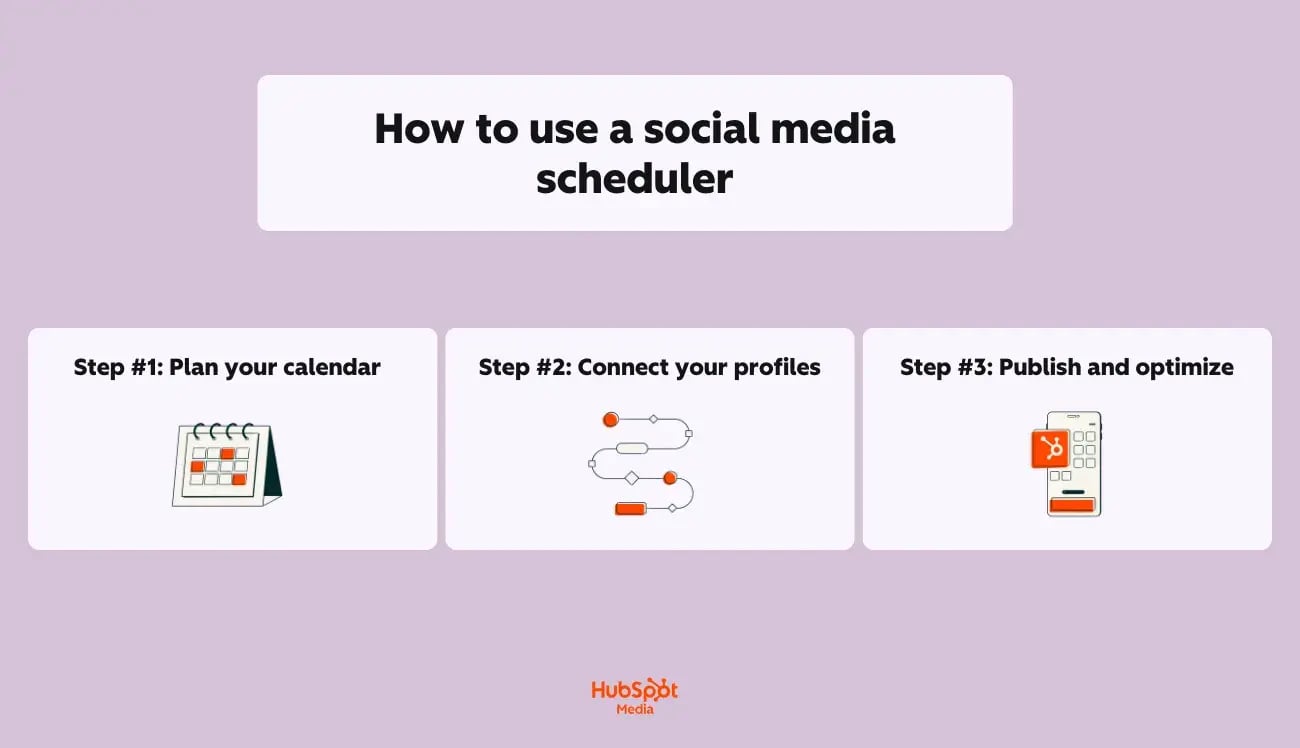
All-in-all, getting started with social media scheduling software takes three (relatively easy) core steps:
- Planning your content
- Connecting your accounts
- Refining your approach based on performance data
However, each step requires thoughtful preparation to get social media scheduling done right. Below, I’ve outlined exactly how to approach each one. Take a look:
Step #1: Plan your calendar
Before scheduling a single post, you’ll need to do the utmost important groundwork: establishing what you’ll share (and when).
Start by auditing your existing content, such as:
- Blog posts
- Product updates
- Customer stories
- Evergreen resources
Starting this audit will help you effectively identify what can be repurposed for social.
Then, build your content calendar by:
- Setting posting frequency: Determine how often you’ll publish on each platform based on your bandwidth and audience expectations
- Mapping content themes: Assign topics or content types to specific days (e.g., tips on Tuesdays, customer spotlights on Thursdays)
- Batching creation sessions: Write and design multiple posts in one sitting rather than creating daily
- Balancing content mix: Aim for a ratio of educational, promotional, and engagement-focused posts
Pro Tip: HubSpot’s Content Hub supports social scheduling workflows by centralizing brand assets, enabling content remixing, and maintaining messaging consistency across channels.
Step #2: Connect your profiles
Once your calendar is mapped, it’s time to link your social accounts to your chosen platform. Most social media scheduling platforms support direct API connections to major networks, including:
- X
- TikTok
Then, during setup, be sure to:
- Authenticate each account: Grant posting permissions through each platform’s official authorization flow
- Assign team access: If collaborating, set roles and approval workflows for content review
- Configure default settings: Establish posting preferences like link shortening, UTM parameters, and image sizing
- Import existing assets: Upload logos, templates, and approved visuals to your media library
Pro Tip: HubSpot’s Social Media Management Software enables bulk scheduling, performance tracking, and direct CRM integration for unified customer insights. This means posts you schedule connect directly to contact records, so you can see how social engagement ties to leads and customers.
Step #3: Publish and optimize
Now, scheduling posts is just the beginning — the real value comes from analyzing what works and adjusting accordingly.
After your content goes live, monitor engagement metrics to inform future decisions.
Here’s how you’ll optimize and refine your approach:
- Review performance data: Track likes, comments, shares, clicks, and reach for each post
- Test posting times: Experiment with different publish windows to find when your audience is most active
- Identify top content: Note which topics, formats, and CTAs drive the strongest response
- Iterate on underperformers: Adjust headlines, visuals, or messaging for posts that fall flat
All-in-all, social media scheduling improves efficiency by batching content creation, reducing manual posting, and enabling off-hours publishing. With the right social media scheduling software in place, you spend less time on logistics and more time on strategy.
In the next section, let’s get into the good stuff: the best social media schedulers.
Best social media schedulers (at a glance)
|
Tool |
Best For |
Key Features |
Pricing |
Free Trial |
|
HubSpot’s Social Media Management Software (Marketing Hub) |
Marketing teams using HubSpot’s ecosystem who want scheduling tied to lead generation and sales pipelines |
Multi-platform scheduling Brand mention monitoring CRM integration Breeze AI captions and timing |
Free: $0/month Starter: $15/month Professional: $890/month Enterprise: $3,600/month |
Yes, 14 days |
|
Buffer |
Individuals or small teams seeking a free scheduler with a minimal learning curve |
Drag-and-drop calendar Browser extension Basic analytics Affordable paid tiers |
Free: $0/month Essentials: $6/month Team: $12/month |
Yes, 14 days |
|
Hootsuite |
Growing teams needing room to scale into enterprise features |
10+ social networks Team workflows with approvals Social listening Customizable dashboards |
Standard: $249 per user/month Advanced: $499 per user/month Enterprise: Custom pricing only (see here) |
Yes, 30 days |
|
Sprout Social |
Agencies and mid-market teams needing enterprise-grade reporting |
Unified smart inbox Advanced reporting exports Asset library Social listening and sentiment analysis |
Starter: $25/month Growth: $50/month Scale: $110/month |
|
|
Later |
E-commerce brands, creators, and lifestyle businesses are prioritizing Instagram and TikTok |
Visual grid planner Linkin.bio shoppable pages UGC discovery Hashtag suggestions |
Starter: $25/month Growth: $50/month Scale: $110/month |
Yes, 14 days |
|
Lately |
Content-heavy teams wanting to automate repurposing |
AI-generated posts from blogs/videos/audio Brand voice learning Performance analytics Bulk generation |
Custom pricing only; demo required (see here) |
No |
|
Social Bee |
Small businesses seeking a balance of features and affordability |
Content categories Evergreen recycling Canva integration RSS automation |
Bootstrap: $24/month Accelerate: $40/month Pro: $82/month |
Yes, 14 days |
Best social media schedulers
1. HubSpot’s Social Media Management Software (Marketing Hub)
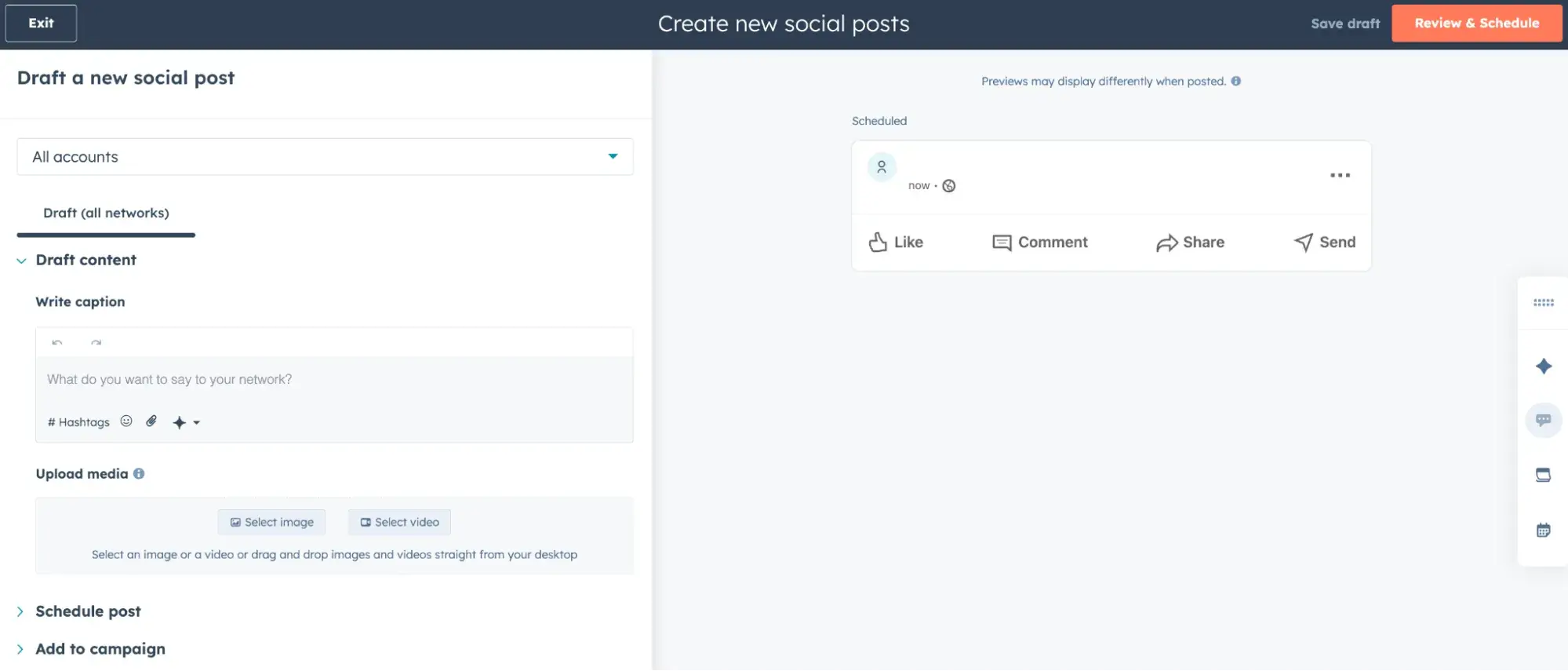
Why it’s a fit: HubSpot’s Social Media Management Software enables bulk scheduling, performance tracking, and direct CRM integration for unified customer insights. If your team already uses HubSpot for email, leads, or sales, this tool keeps social data connected to your contact records — so you can attribute revenue to social efforts and see complete customer journeys.
HubSpot’s Social Media Management Software key features:
- Schedule posts across Facebook, Instagram, LinkedIn, and X from one dashboard
- Monitor brand mentions and keywords directly within the platform
- Connect social engagement to CRM contacts for closed-loop reporting
- Access Breeze AI for AI-generated captions and optimal timing recommendations
Best for: Marketing teams using HubSpot’s ecosystem who want social media scheduling software that ties directly to lead generation and sales pipelines.
HubSpot pricing (Marketing Hub):
- Free: $0/month
- Starter: $15/month
- Professional: $890/month
- Enterprise: $3,600/month
2. Buffer
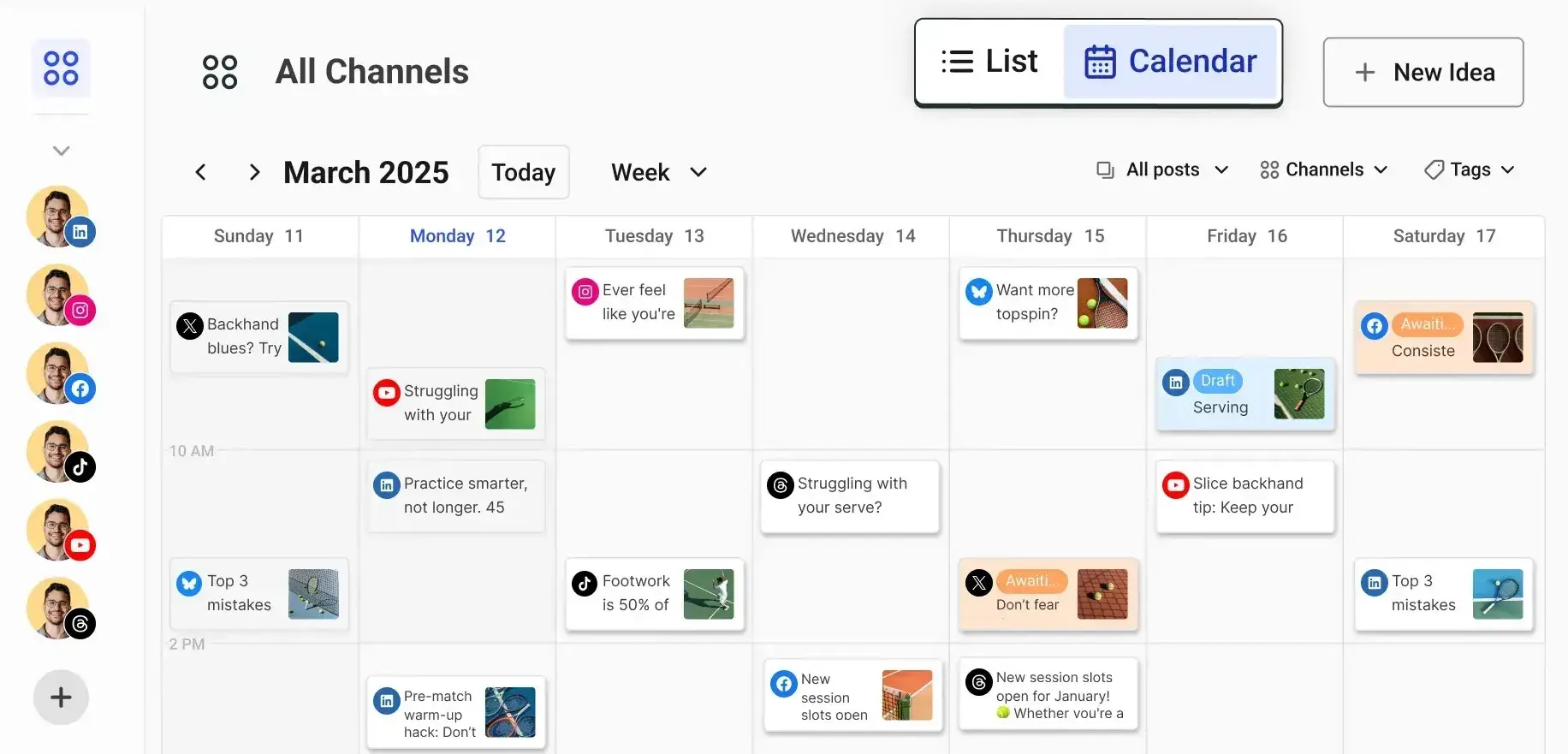
Why it’s a fit: Buffer offers a clean, intuitive interface that makes scheduling approachable for solopreneurs and small teams just getting started.
Buffer’s key features:
- Simple drag-and-drop calendar interface
- Browser extension for quick content sharing
- Basic analytics on post performance
- Affordable paid tiers as needs grow
Best for: Individuals or very small teams seeking a free social media scheduler with a minimal learning curve.
Buffer pricing:
- Free: $0/month
- Essentials: $6/month
- Team: $12/month
3. Hootsuite
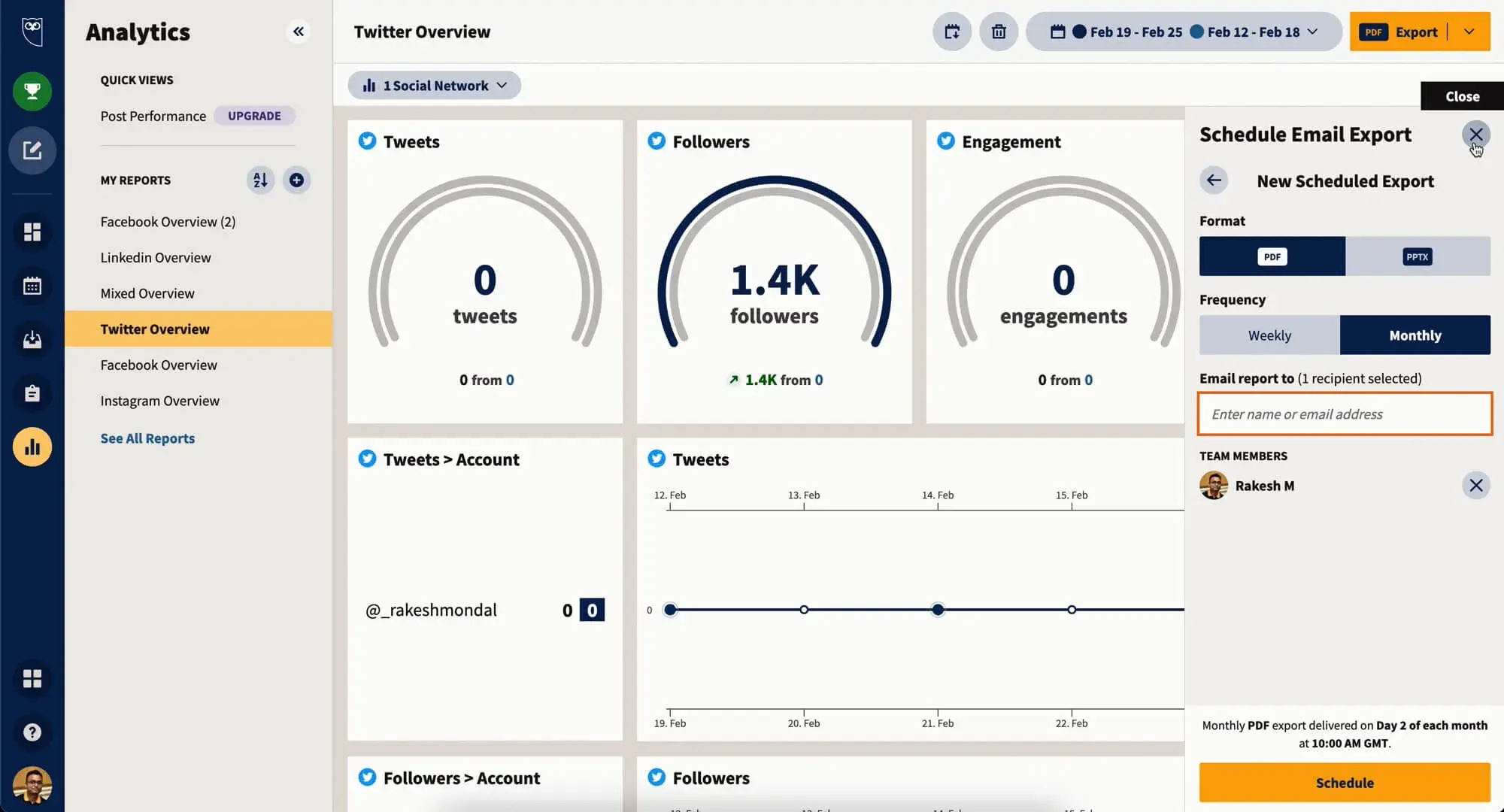
Why it’s a fit: Hootsuite supports a wide range of networks and offers team collaboration features, making it a strong choice for small businesses expanding their social presence.
Hootsuite’s key features:
- Supports 10+ social networks, including TikTok and Pinterest
- Team workflows with approval processes and content libraries
- Social listening for competitors and industry monitoring
- Customizable analytics dashboards
Best for: Growing teams that need the best social media scheduler for small businesses with room to scale into enterprise features.
Hootsuite pricing:
- Standard: $249 per user/month
- Advanced: $499 per user/month
- Enterprise: Custom pricing only (see here)
4. Sprout Social
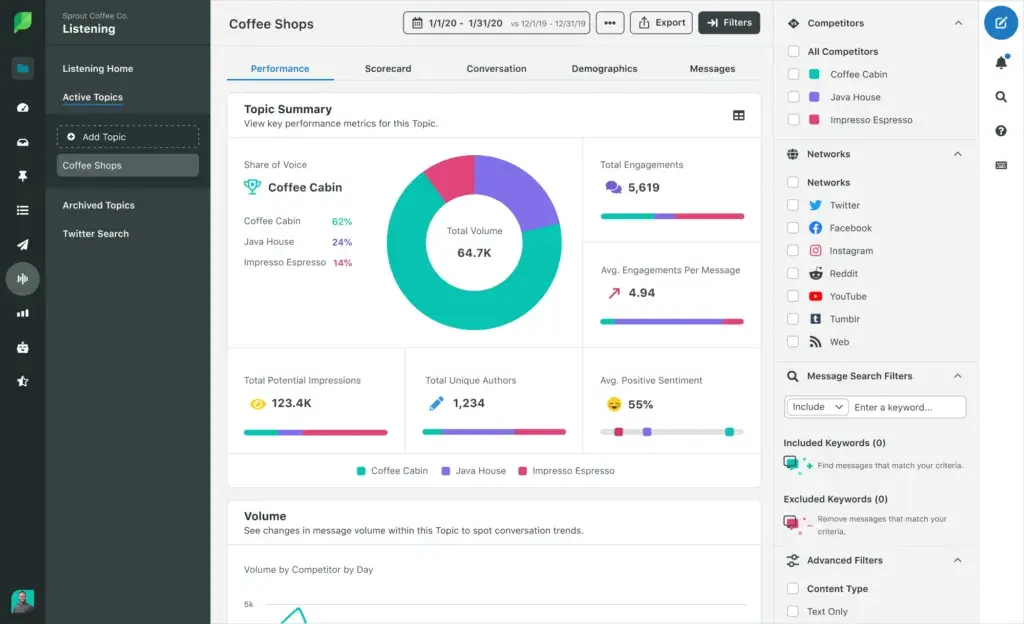
Why it’s a fit: Sprout Social combines scheduling with deep analytics, social listening, and client reporting — ideal for agencies managing multiple brands or businesses with complex approval workflows.
Sprout Social’s key features:
- Unified smart inbox across all connected profiles
- Advanced reporting with presentation-ready exports
- Asset library for centralized brand management
- Built-in social listening and sentiment analysis
Best for: Agencies and mid-market teams needing social media scheduling platforms with enterprise-grade reporting.
Sprout Social pricing:
- Standard: $199 per seat/month
- Professional: $299 per seat/month
- Advanced: $399 per seat/month
- Enterprise: Custom pricing only (see here)
5. Later
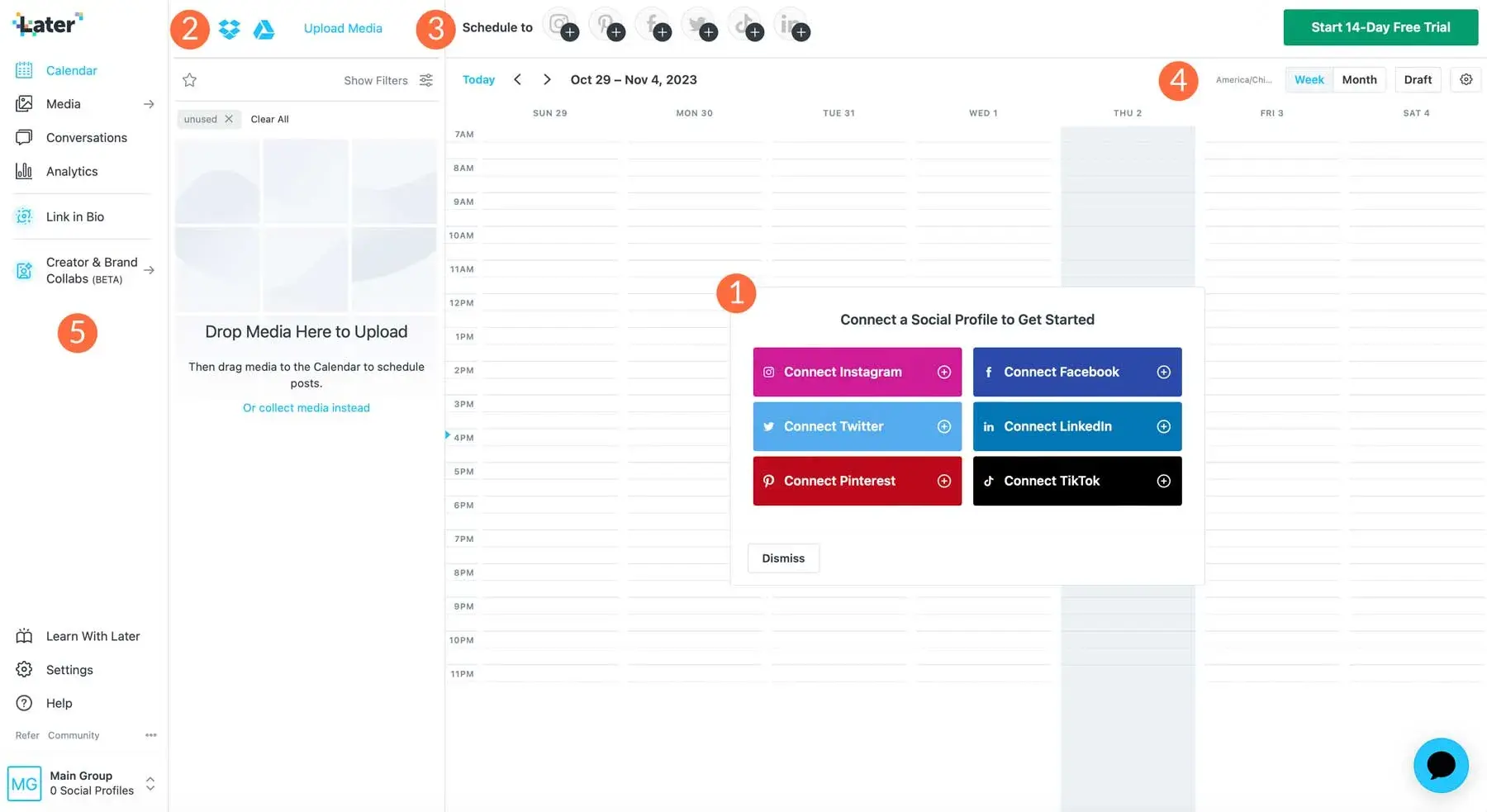
Why it’s a fit: Later’s visual content calendar and Instagram-first approach make it a strong pick for brands where aesthetics drive engagement. Its drag-and-drop grid preview helps teams plan cohesive visual feeds.
Later’s key features:
- Visual Instagram grid planner
- Linkin.bio for shoppable link-in-bio pages
- User-generated content discovery tools
- Hashtag suggestions and first-comment scheduling
Best for: E-commerce brands, creators, and lifestyle businesses prioritizing Instagram and TikTok.
Later pricing:
- Starter: $25/month
- Growth: $50/month
- Scale: $110/month
6. Lately
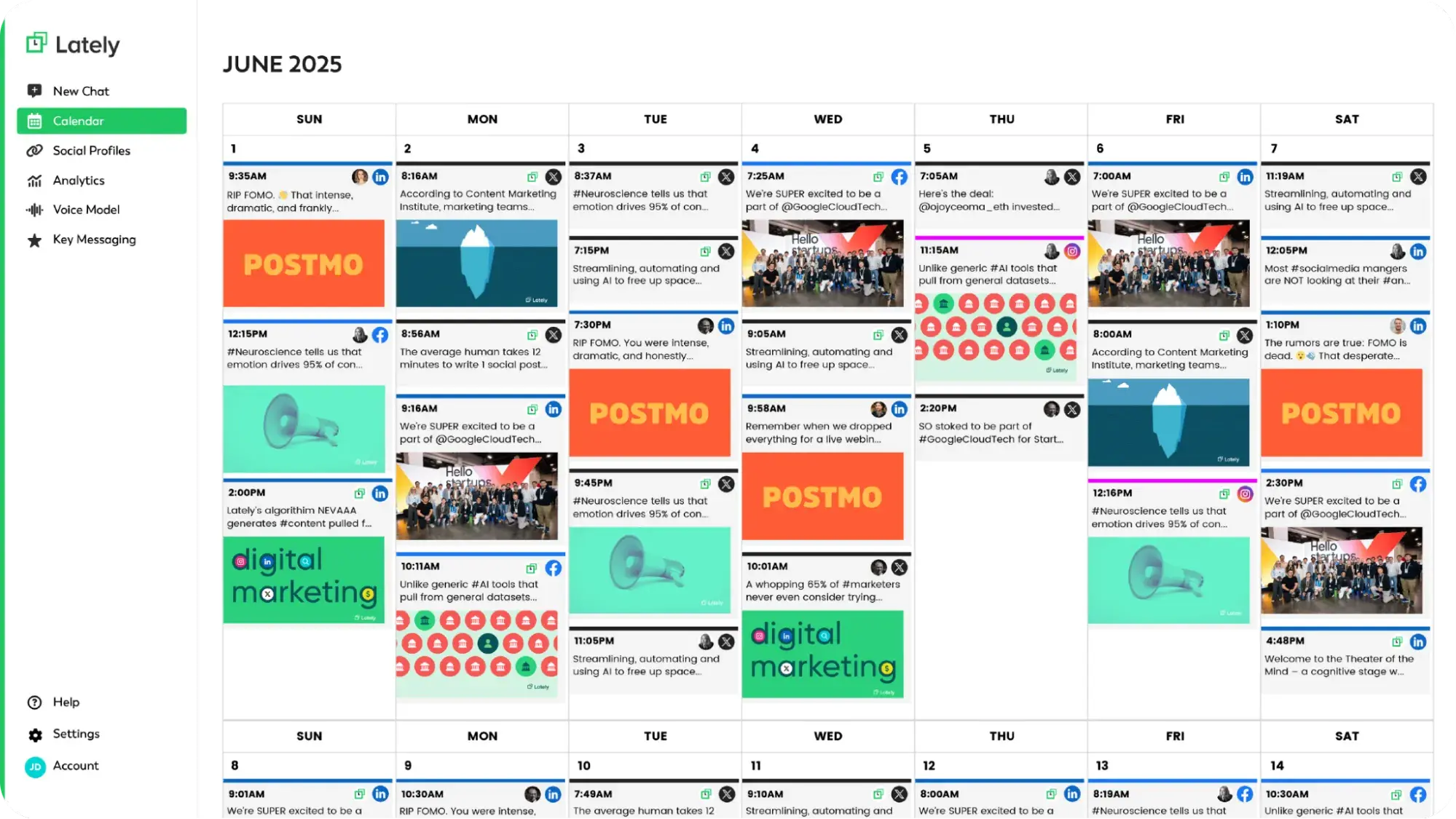
Why it’s a fit: Lately uses AI to repurpose long-form content into social posts automatically, reducing content creation time for teams with blogs, podcasts, or video libraries to mine.
Lately’s key features:
- AI-generated social posts from blogs, videos, and audio
- Brand voice learning for consistent messaging
- Performance analytics tied to AI recommendations
- Bulk content generation from single assets
Best for: Content-heavy teams wanting social media scheduling software that automates repurposing.
Lately pricing:
- Custom pricing only; demo required (see here)
7. SocialBee
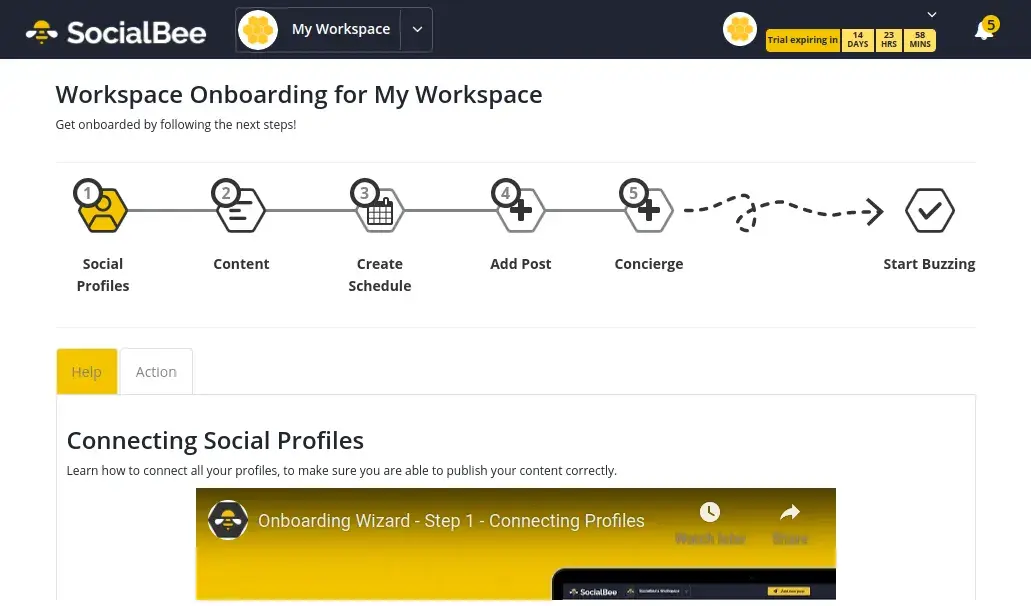
Why it’s a fit: SocialBee offers category-based scheduling and content recycling at a lower price point than many competitors, making it accessible for budget-conscious small businesses.
SocialBee’s key features:
- Content categories for balanced posting mix
- Evergreen content recycling
- Canva integration for in-app design
- RSS feed automation
Best for: Small businesses seeking a social media scheduler that balances features and affordability.
SocialBee pricing:
- Bootstrap: $24/month
- Accelerate: $40/month
- Pro: $82/month
Social media scheduling tools: Features to look for
Here’s the (hard) truth about social media scheduling tools: Not all of them offer the same capabilities.
When evaluating options — whether you’re testing a free social media scheduler or investing in premium social media scheduling software — prioritize the following features that separate basic tools from the best social media scheduler for your needs.
Take a look:
1. Multi-platform publishing and bulk scheduling
The core function of any scheduler is to post across multiple networks from a single location. Look for tools that support all the platforms your audience uses (e.g., Facebook, Instagram, LinkedIn, X, TikTok, Pinterest) and let you schedule content in bulk rather than one post at a time.
Here’s what to check:
- Number of social profiles supported per plan
- Ability to customize posts per platform (character limits, image specs, hashtags)
- Bulk upload via CSV or spreadsheet
- Queue and calendar views for visualizing scheduled content
Overall, social media scheduling improves efficiency by batching content creation, reducing manual posting, and enabling off-hours publishing — but only if bulk scheduling is intuitive and reliable.
2. Analytics and performance reporting
Scheduling without measurement is guesswork. The best social media scheduler options include built-in analytics that track:
- Engagement
- Reach
- Clicks
- Follower growth
A social media scheduler that supports tracking and reporting of these metrics gives you a clear picture of your social performance, so you can identify what’s working and adjust your strategy.
Moreover, if you want to get granular, here are some additional key metrics to access:
- Post-level engagement (likes, comments, shares, saves)
- Click-through rates on links
- Audience growth over time
- Best-performing content types and posting times
3. CRM and marketing tool integration
Standalone scheduling creates data silos. For growing businesses, the best social media scheduler for small businesses connects to your CRM, email platform, and broader marketing stack so social activity informs (and is informed by) your other channels.
If you aren’t convinced, here’s a list of integration benefits:
- Attribute leads and customers to social campaigns
- Trigger workflows based on social engagement
- Maintain consistent messaging across email, ads, and social
- View complete customer journeys in one system
Pro Tip: HubSpot’s Marketing Hub users gain this advantage natively. Social engagement ties directly to contact records alongside email opens, form submissions, and sales conversations.
4. Content library and asset management
Consistency requires easy access to approved visuals, templates, and messaging. Look for social media scheduling software that includes a centralized asset library where teams can store and reuse brand-approved content.
While browsing, here’s what to look for:
- Media library (for images, videos, and GIFs)
- Folder organization and tagging
- Team permissions for asset uploads and edits
- Integration with design tools like Canva
Pro Tip: HubSpot’s free version of Marketing Hub (and paid tiers, too) integrates with Canva, enabling content remixing, centralized brand asset management, and messaging consistency across channels – eliminating scattered files and off-brand posts that slow teams down.
5. AI-powered assistance
AI capabilities are quickly becoming standard in social media scheduling platforms. These features reduce manual effort by:
- Generating captions
- Recommending optimal posting times
- Suggesting content variations
If you’re not sold on AI-powered social media scheduling yet, here are a few features to prioritize:
- Caption generation based on links, images, or prompts
- Optimal send-time recommendations based on audience activity
- Content repurposing suggestions (turning blogs into social posts)
- Hashtag recommendations
Next, let’s tackle the questions marketers ask most about social media schedulers.
Frequently asked questions (FAQ) about social media schedulers
What platforms do most social media schedulers support?
Most social media scheduling platforms support the major networks:
- X (formerly Twitter)
- TikTok
- YouTube
Some tools also integrate with Google Business Profile, Threads, and Mastodon.
However, platform support varies by tool and pricing tier:
- Basic/free plans typically include Facebook, Instagram, LinkedIn, and X
- Mid-tier plans often add TikTok, Pinterest, and YouTube
- Enterprise plans may include niche networks and additional profile slots
Before committing to any tool, verify it supports every platform your audience uses and check whether certain networks require higher-tier plans.
Pro Tip: HubSpot’s Social Media Management Software enables scheduling across Facebook, Instagram, LinkedIn, and X from one dashboard, with direct CRM integration for unified customer insights.
Are there good free social media scheduler options?
My short answer? Yes. Several social media scheduling software options offer functional free tiers suitable for individuals and very small teams.
Here’s what free plans typically include:
- 1 to 3 connected social profiles
- Basic scheduling and calendar views
- Limited posts per month (often 10 to 30)
- Minimal analytics
Additionally, a free social media scheduler works well for solopreneurs or businesses testing social strategy before scaling. HubSpot’s Marketing Hub, for example, includes free social publishing tools that integrate with its CRM, useful for teams looking to track leads from day one.
As posting needs grow, the best social media scheduler for small businesses will offer affordable paid tiers with expanded limits and features.
How do approvals work in a social media scheduler?
Most social media scheduling platforms designed for teams include approval workflows that route posts through designated reviewers before publishing.
Typical approval workflow steps:
- Content creator drafts and schedules a post
- Post enters a pending/review queue
- Designated approver receives notification
- Approver reviews, requests edits, or approves
- Approved posts publish at the scheduled time
Approval features prevent off-brand messaging, catch errors, and maintain compliance. This is especially important for regulated industries or agencies managing client accounts.
Overall, the best social media schedulers offer custom approval chains, role-based permissions, and in-platform feedback, so edits happen without email back-and-forth.
Can I schedule Instagram Reels and Stories with a scheduler?
Yes, most major social media scheduling software now supports scheduling for Instagram Reels and Stories, though functionality varies.
What to know:
- Reels: Many platforms support direct Reels publishing with captions, cover images, and hashtags
- Stories: Some tools offer direct publishing; others send mobile reminders with pre-loaded content for manual posting
- Limitations: Interactive Story elements (polls, questions, links) may require manual addition after publishing
Later and Buffer both support Reels scheduling. HubSpot’s Social Media Management Software enables Instagram post scheduling with direct publishing
All-in-all, always confirm your chosen tool’s specific Instagram capabilities, as platform API changes can affect feature availability.
How do I migrate from one scheduler to another without downtime?
This may not be the answer you want, but it’s the honest one: Switching social media scheduling platforms requires planning to avoid gaps in your posting calendar.
However, if you’re committed to making a switch, I’ve outlined a step-by-step migration process to follow. Take a look:
- Export existing content: Download scheduled posts, media assets, and analytics reports from your current tool
- Overlap subscriptions: Run both tools simultaneously for 1 to 2 weeks during transition
- Recreate your calendar: Rebuild your posting schedule in the new platform, starting with dates beyond your current tool’s last scheduled post
- Reconnect profiles: Authenticate all social accounts in the new tool (this won’t affect existing scheduled posts in the old tool)
- Test before going live: Schedule a few test posts to confirm publishing works correctly
- Cancel old subscription: Only after confirming the new tool is fully operational
Marketers, a social media scheduling tool might be your new best friend
Whether your calendar likes it or not, social media scheduling software transforms how marketing teams and, more broadly, brands operate.
Instead of scrambling to post in real-time across multiple platforms, you:
- Batch content creation
- Maintain a consistent publishing cadence
- Free up hours each week for strategy, creativity, and audience engagement
It doesn’t matter if you’re starting with a free social media scheduler or investing in a full-featured platform; the efficiency gains compound quickly, especially as your posting volume and channel count grow.
The best social media scheduler for small businesses isn’t necessarily the one with the most bells and whistles; it’s the one that fits your workflow, integrates with your existing tools, and scales alongside your goals.
Ready to simplify your social strategy and see what’s actually working? Get started with HubSpot’s Social Media Management Software to schedule posts, track engagement, and connect every interaction to your CRM — all from one platform.

